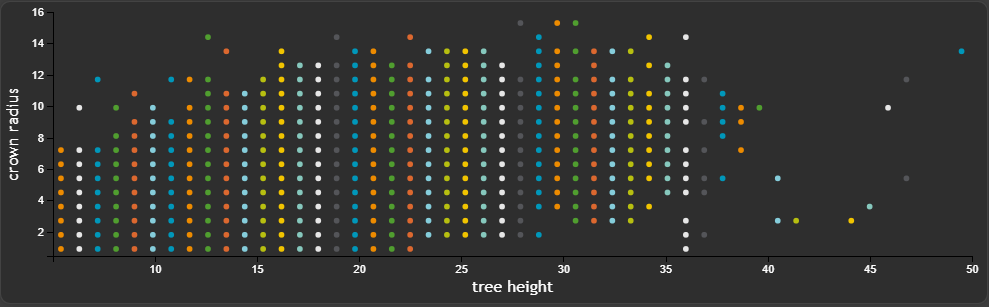
The result of this tutorial is to create the following Scatter widget
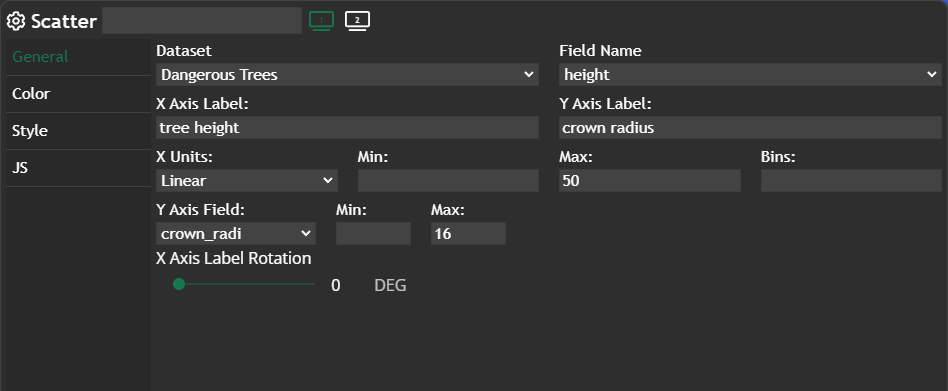
We want to show all necessary settings in order to achieve that. Every needed tab in the Widget configuration window is highlighted with a seperate header.
General
Basically all settings are happening in General. We have to define a Field Name, which works as the x-axis. The counter part to this column is Y Axis Field, which defines what on the y-axis should be shown. Additionally we are changing X Axis Label and Y Axis Label.
In this example we want to show the distribution between tree height and the crown radius.
We also want to "limit" both axes, which means you have to define the max value for x and y IF you are not happy with the automatic limitation.
Color
Hexagon is set for the color palette, which gives us the corporate colors for our Scatter widget.
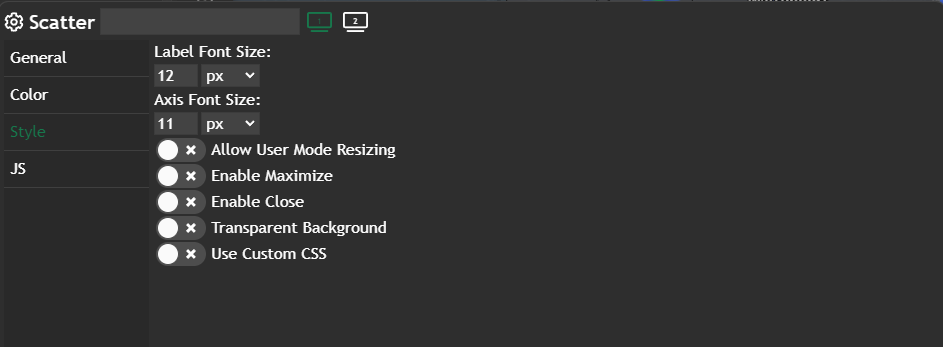
Style
We are changing the Label Font Size to one px smaller then the default value.
Further information
If you need further information about this kind of widget, please visit the following link.
 Marina Lanxinger