Using Imagery as in-house service
Raster images can be integrated directly in M.App Enterprise and streamed as a Service.
Preliminaries
In order to make use of adding imagery into M.App Enterprise, you have to store your data in the Warehouse folder of M.App Enterprise. The Warehouse folder is defined during the setup.
Moreover, the imagery data needs to either be in Geotiff or ECW format.
Creating a Service
Content → Imagery → New
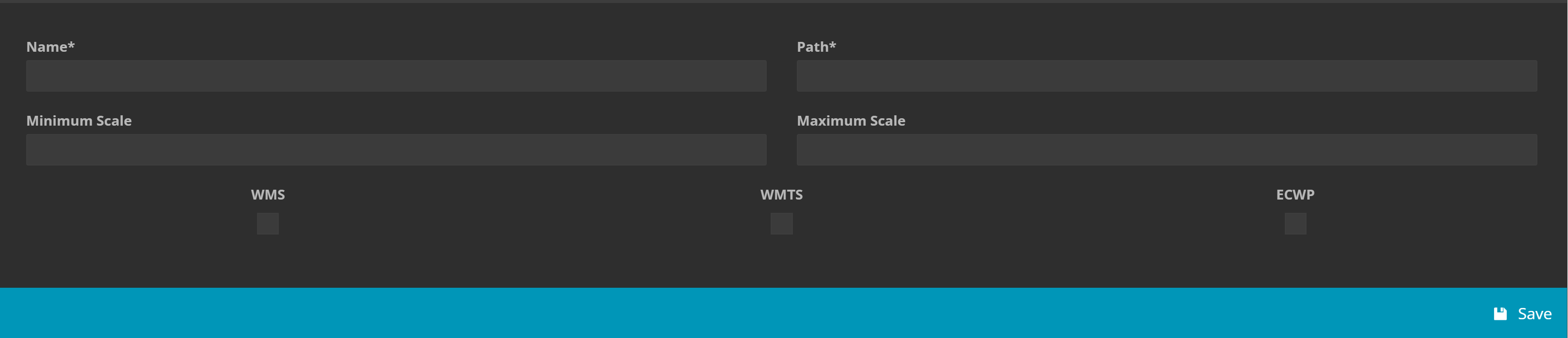
Creating a service from imagery is rather straight forward. You need to indicate a name and the path of the imagery in your warehouse folder.
Minimum/Maximum Scale: A scale defines the level of display for your service. So, assuming you would specify a minimum scale of 5000 and a maximum scale of 10000, your service will be visible in that range. If you are zoomed out or in too much, it won't appear.
Eventually, you have to select a service type, which can either be WMS, WMTS or ECWP. Once, you click on save, the service will be generated and you will be forwarded to the list of current Imagery services.

The icon Show endpoint URLs enables you to get URL for either your WMS or WMTS service to use it in any application outside of M.App Enterprise. In case you want to incorporate it in a M.App Enterprise application, the service will appear in the legend list to be added. The other two icons will get you to edit or delete an existing service.