Lesson 7: Creating Users and Claims
Create app users in Studio and control what they are allowed to see and do by using claims.
Users
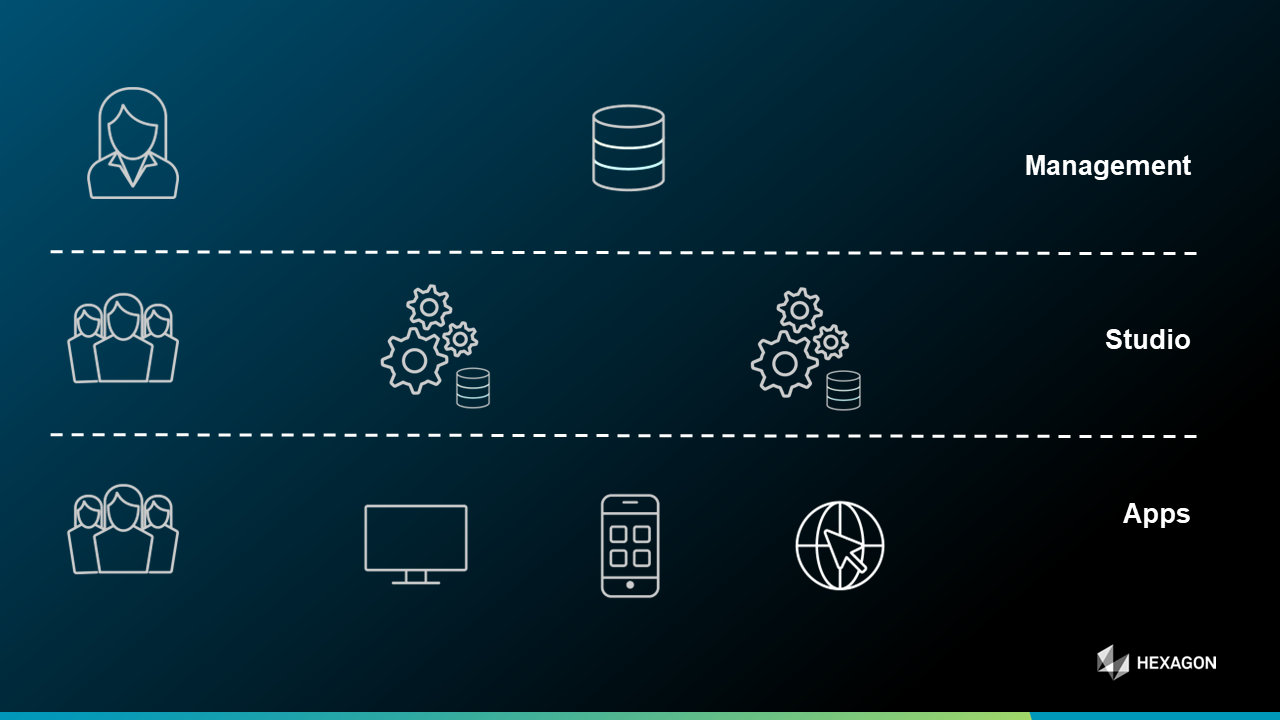
When we have a look at the hierarchy of users in M.App Enterprise (see following screenshot) - the users spoken of here are at the part called Apps, which means the M.App Enterprise Studio Administrator is creating one or more users and assign the users to specific applications. This can be done under Security -> Users. In this section of the M.App Enterprise Studio new users and existing ones can be edited.

If you don't want to re-run the setup, because you have no imminent update to do on the server or you just forgot to put in the credentials for your mail server you still have the possibility to change the web.config manually. These changes happens on your own responsibility.
Here is an example of the mailSettings for using Gmail.
Optional
Claims
Claims allows Studio administrators to limit two things for the platform:
- Visibility / Interacting with layers in the layer tree
- Visiblity / Interacting with workflows
There is a detailed tutorial how to use them here:
 Stefan Schüttenkopf
Password Pattern
If you desire to enforce a specific password pattern during user registration - for instance, a password requirement of at least9 characters including special characters - you can implement that constraint here.
The definition of the pattern can be done at Security → Passwords. There are a few pre-defined ones:
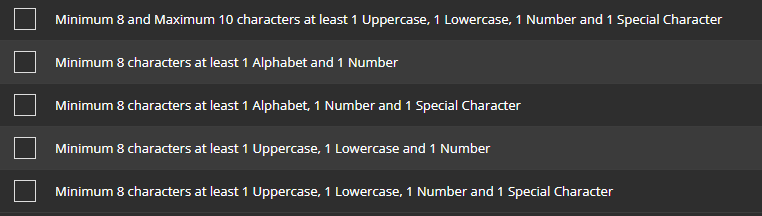
New. You have to follow the REGEX rules in order to have a well-defined Pattern.
Advanced
Stefan SchüttenkopfStefan Schüttenkopf