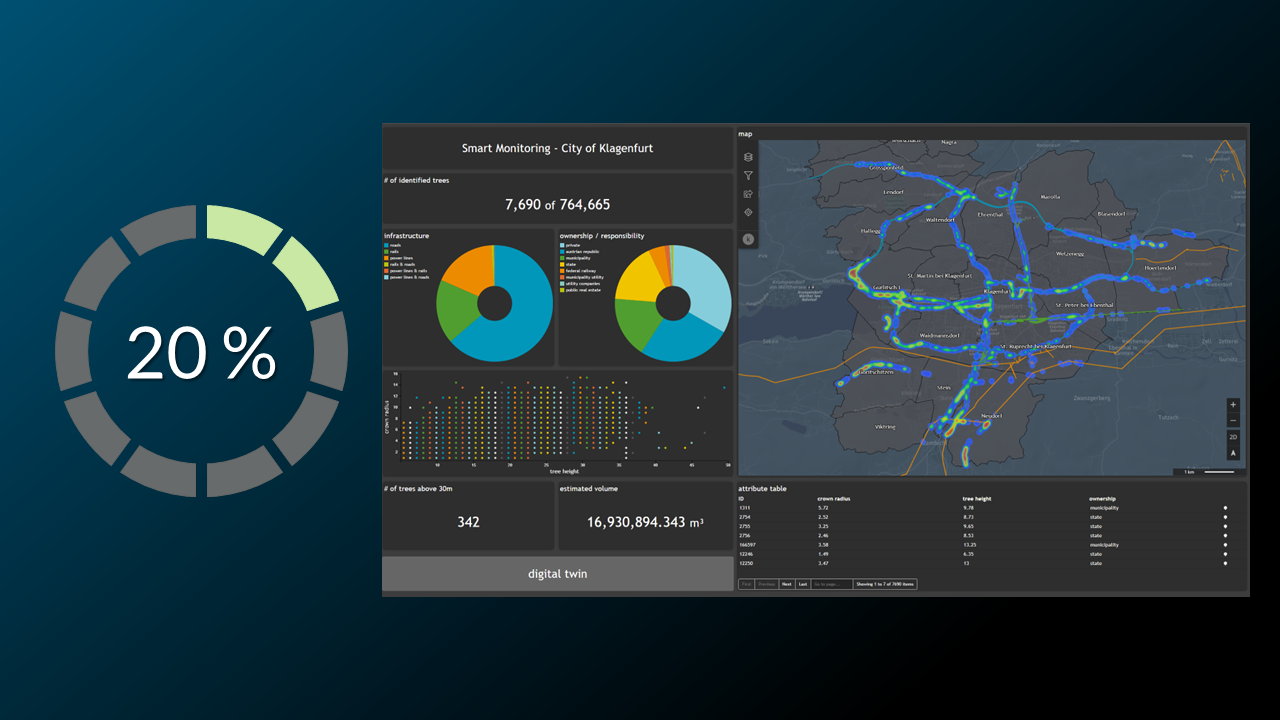
The result of this tutorial is to create the following Number display widget
We want to show all necessary settings in order to achieve that. Every needed tab in the Widget configuration window is highlighted with a seperate header.
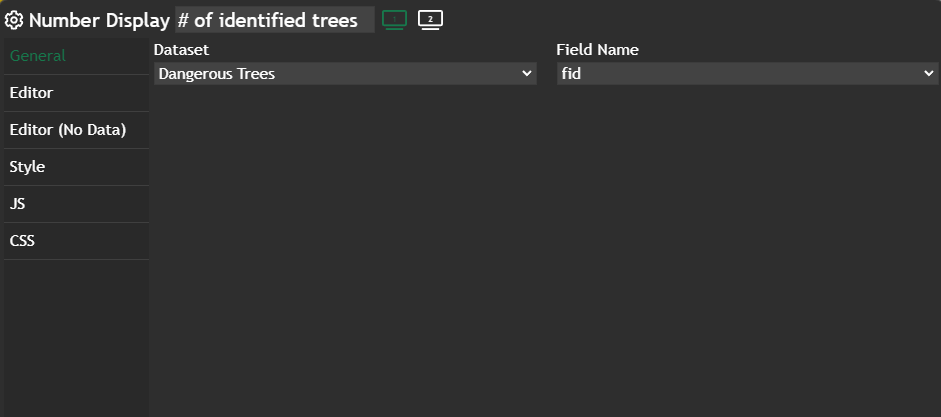
General
In this tab the only thing we change is the Chart title to # of identified trees and change the Field Name to any column in your database, because in this widget it doesn't matter.
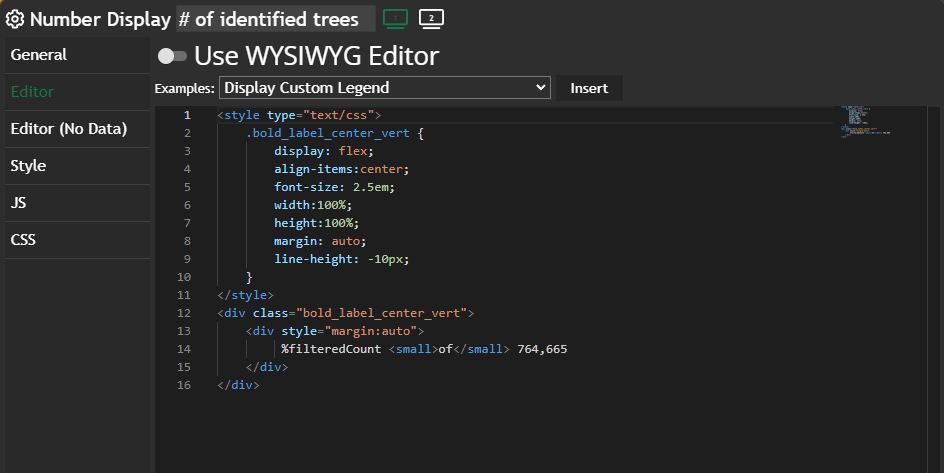
Editor
If you don't use the WhatYouSeeIsWhatYouGet (WYSIWIG) Editor, you will get a full-blown code editor with autocomplete and Intellisense.
We define a %filteredCount, which gives us automatically the number of currently visible geometries in the Map widget. If no filter is set you can see in the most top screenshot we do see ~7600 trees in the map.
Editor (No Data)
You can define other styling if NO data is visible in the map. In our case we define it the same way as the Editor, because we want to have the same design no matter if data is visible or not.
Further information
If you need further information about this kind of widget, please visit the following link.

 Marina Lanxinger